
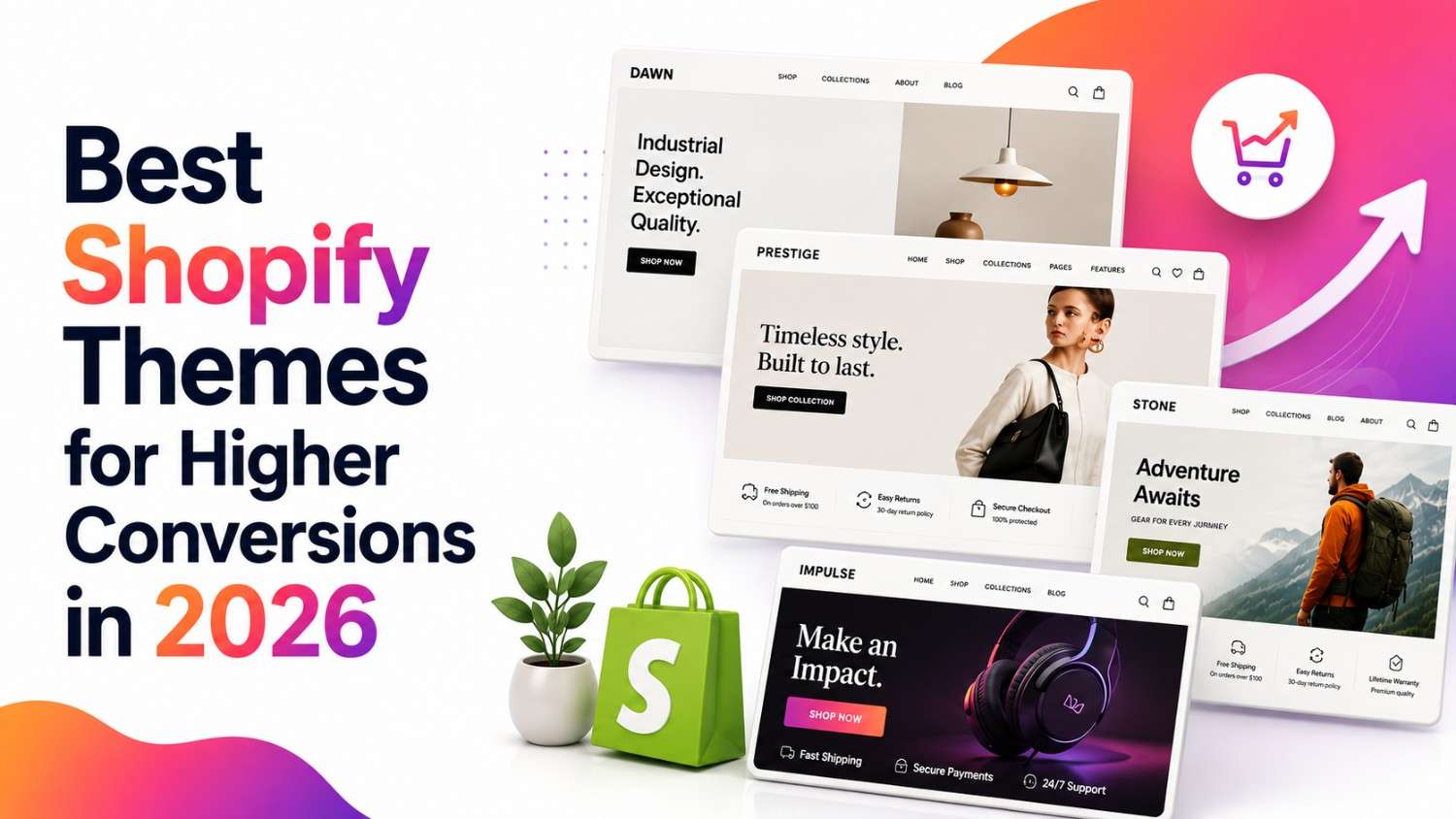
Quick Summary: There’s no single Shopify theme that’s objectively “the highest-converting” — conversion depends on your product, pricing, trust signals, and traffic quality as much as your theme. What theme choice does control is the ceiling on your site’s speed, mobile usability, and checkout friction. The themes that consistently perform best share a few traits: fast, clean code with minimal default JavaScript; mobile-first layouts; a low-friction checkout; and built-in merchandising tools that reduce how many apps you need to stack on top. This guide breaks down those features, compares the leading options, and gives you a practical checklist for evaluating any theme before you commit.
Your Shopify theme is the layer that shapes how fast pages load, how easy products are to find, and how smooth checkout feels. It’s not the only factor in your conversion rate — your offer, pricing, and traffic quality matter just as much — but it sets the ceiling on how good your site’s experience can be, no matter how good your marketing is.
This guide covers what makes a theme genuinely conversion-friendly, compares specific themes worth considering in 2026, and includes a practical checklist for evaluating any theme before you buy it. If you’d rather have a developer walk through this with you directly, our Shopify theme development team can audit your current setup against the same criteria below.
Why Your Shopify Theme Matters
Your theme is the foundation everything else gets built on. A few reasons this compounds into real revenue impact:
- First impressions form fast. Usability research has repeatedly shown that users form an impression of a website within the first few seconds of landing on it — a slow or cluttered theme can lose visitors before they’ve seen a single product.
- Speed has a measurable relationship with conversion. Multiple independent studies (from Google, Deloitte, and various ecommerce platforms) have found that faster page load times correlate with higher conversion rates and lower bounce rates. The exact size of the effect varies by study, industry, and traffic source — there’s no single universal number that applies to every store — but the direction is consistent across the research: slower pages convert worse.
- Speed is also an SEO factor. Core Web Vitals have been part of Google’s ranking algorithm since 2021. A slow theme doesn’t just risk sales; it can also work against your organic visibility.
- Checkout friction is where carts die. A theme that supports auto-filled details, fewer steps, and multiple payment options is one of the more directly actionable levers for reducing cart abandonment.
There’s No Universal “Highest-Converting” Theme
It’s worth saying plainly: no theme guarantees a specific conversion rate. Conversion is the result of many factors working together — theme architecture and speed, mobile UX, product presentation, navigation, checkout experience, trust signals, pricing, offer strength, traffic quality, and how well the theme is actually configured and maintained.
Two stores running the identical theme can post very different conversion rates depending on their product photography, reviews, pricing, and how many apps they’ve bolted on. The right way to think about theme choice isn’t “which theme converts best” — it’s “which features and characteristics make a theme more likely to support strong conversion, and which theme fits how my store actually operates.”
Key Features of a Conversion-Friendly Shopify Theme
1. Fast Load Times
This is the most consistently important factor. Look for a theme built on Shopify’s Online Store 2.0 architecture (all current free Shopify themes qualify, and most modern paid themes do too), with minimal default JavaScript and native lazy-loading for images. Keep in mind that a theme’s demo store speed and your live store’s speed are two different things — your actual score depends heavily on your product images, installed apps, tracking scripts, and even your customers’ devices and network conditions.
2. Mobile-First Design
Mobile traffic makes up the majority of ecommerce visits industry-wide, though conversion rates on mobile still tend to lag behind desktop in many verticals — often because mobile checkout and navigation don’t get the same design attention as desktop. A genuinely mobile-first theme means large tap targets, a sticky add-to-cart bar, and a checkout that doesn’t require zooming or excessive scrolling.
3. Optimized Checkout Process
Auto-filled shipping details, express payment buttons (Shop Pay, Apple Pay, PayPal), and a visible progress indicator all reduce the friction that contributes to cart abandonment. This is one of the more directly testable improvements available — most Shopify checkout enhancements can be A/B tested through the platform’s built-in tools.
4. Built-In Merchandising Tools
Features like before-and-after sliders, “shop the look” sections, quick-buy from collection pages, and rich mega menus are increasingly available natively in premium themes, where they’d otherwise require separate apps. Native features can mean fewer render-blocking scripts than the app equivalent — but only if the theme itself is well-coded. A poorly optimized premium theme can still be slower than a lean free theme with a couple of well-chosen apps. For features a theme genuinely can’t cover, a purpose-built Shopify app is often a cleaner solution than forcing the theme to do something it wasn’t designed for.
5. Conversion-Focused UI/UX
- Clear, high-contrast CTA buttons
- Sticky add-to-cart bars on product pages
- Trust badges near the buy button (secure checkout, return policy)
- Uncluttered layouts that keep focus on the product
6. Structured Data and Technical SEO
Many modern Shopify themes include some structured data support — commonly product markup, and sometimes breadcrumb or organization schema. Implementation quality varies meaningfully by theme, and even a theme with good schema support can end up with gaps depending on how a store is configured. Structured data helps search engines (and increasingly, AI shopping assistants and answer engines) understand your content accurately — it’s a supporting signal, not a guarantee of higher rankings or conversions on its own.
7. Image and Video Optimization
Support for modern image formats (like WebP), responsive image sizing, and native video embeds without requiring a heavy third-party player.
8. Smart Product Filtering and Search
Fast, accurate filters (size, color, price) and predictive search become more important as catalogs grow — a customer who can’t find a product within a few clicks is more likely to leave than keep browsing.
9. Integrated Social Proof
Star ratings, review counts, and recent-activity indicators can build trust at the moment a shopper is deciding whether to buy. Use real, accurate data here — fabricated urgency indicators (fake “X people are viewing this” counters, for example) can violate platform policies in some regions and erode trust quickly if a customer notices.
10. No-Code Customization
Section-based, drag-and-drop editing — standard on all current Shopify Online Store 2.0 themes — lets store owners test layout changes without a developer for every small adjustment.
11. Accessibility
This is genuinely part of what makes a theme conversion-friendly, not just a compliance checkbox. Look for:
- Full keyboard navigation support
- Accessible, screen-reader-friendly menus
- Adequate color contrast between text and background
- Visible focus states for interactive elements
- Properly labeled forms and buttons
- Logical heading hierarchy
- Alt text support for product images
A more accessible theme is usable by a larger share of your potential customers, and accessibility improvements frequently overlap with general usability gains that benefit everyone — clearer navigation and better contrast help all shoppers, not just those using assistive technology. If accessibility and usability need deeper work than theme settings can solve, that’s typically a UI/UX design project rather than a theme swap.
Comparing Leading Shopify Themes
Rather than ranking these by a single “conversion score” (which doesn’t meaningfully exist), here’s how the current leading options differ on the factors that actually matter for a buying decision. Treat any speed figures you see for these themes — including from third-party testing sites — as reference points measured under specific conditions, not guarantees for your store.
| Theme | Price | Best For | Key Built-In Features | App Dependency | Customization |
| Dawn | Free | New stores prioritizing speed and simplicity | Minimal, intentionally lean feature set | Higher — most extras require apps | Moderate, section-based |
| Sense | Free | Health, beauty, and wellness brands | Soft styling, product-detail focus | Higher, similar to Dawn | Moderate |
| Craft | Free | Artisan, handmade, and story-driven brands | Editorial layouts, lookbook-style sections | Higher, similar to Dawn | Moderate |
| Impact | Paid (check current Shopify Theme Store pricing) | Growing stores with larger catalogs wanting built-in merchandising | Mega menus, before/after sliders, quick-buy | Lower — replaces several common apps | High |
| Turbo | Paid (check current Shopify Theme Store pricing) | Fashion and lifestyle brands wanting polish plus merchandising features | Similar merchandising toolkit to Impact, fashion-oriented styling | Lower | High |
Note on pricing: Theme pricing on the Shopify Theme Store changes periodically. Confirm current prices directly on Shopify before making a decision rather than relying on any figure quoted in an article, including this one.
How to think about the choice
- New store, unsure of niche or budget? A free theme like Dawn, Sense, or Craft gives you a clean, fast baseline to validate what actually converts before investing in a paid theme.
- Established store with a growing catalog and multiple apps already in use? This is where it’s worth auditing whether a theme like Impact or Turbo could replace some of those apps natively — the deciding factor isn’t your revenue number; it’s your catalog size, merchandising complexity, number and cost of apps you’re running, and how much internal development support you have to maintain a more complex build. Stores operating at real enterprise scale may also want to evaluate whether Shopify Plus unlocks capabilities a standard Shopify plan and theme can’t support on their own.
- Niche aesthetic (wellness, artisan, fashion)? Sense, Craft, or Turbo respectively can save meaningful design time versus building that look from scratch on a general-purpose theme.
The App-Bloat Trade-Off
A premium theme can reduce app dependency when its native features genuinely replace third-party apps you’d otherwise install — but it doesn’t automatically make your store faster. A heavy premium theme with a poorly optimized implementation can still underperform a lean free theme running two or three well-chosen apps.
The real goal isn’t “premium theme” or “free theme” — it’s fewer unnecessary scripts, fewer redundant apps, optimized images, and a clean implementation, regardless of which theme you start from. When multiple apps and your theme all need to work together without conflicting scripts slowing things down, that’s usually where a proper Shopify integration approach pays off over piling on more plug-and-play apps.
Shopify Theme and Storefront Trends Shaping 2026
It’s worth being precise about where these capabilities actually come from, since “theme,” “Shopify platform,” “app,” and “custom development” get blurred together often in theme marketing:
- AI-powered personalization and product recommendations — increasingly available through Shopify’s platform-level tools and third-party apps (like AI-driven search and merchandising tools), rather than being a feature most themes build natively.
- AI shopping assistants and chat — typically delivered through dedicated apps or Shopify’s own AI features, not baked into individual themes.
- Social commerce integration (TikTok Shop, Instagram Shopping) — largely handled at the platform and app-integration level, with themes providing supporting display elements at most.
- Subscription and membership support — usually powered by dedicated subscription apps that integrate with your theme, rather than native theme functionality.
- Sustainability and transparency content — this is mostly a content and merchandising choice within a theme’s existing flexible sections, not a distinct technical feature.
If a theme’s marketing claims a feature “natively,” it’s worth checking the live demo store to see whether that’s genuinely built into the theme or depends on installing a companion app.
How We Evaluate Shopify Themes
Rather than claiming to have hands-on tested every theme on the market, here’s the framework we use when advising clients on theme selection — and one you can apply yourself:
- Mobile performance and Core Web Vitals on the live demo store
- Page structure and semantic HTML quality
- Built-in conversion and merchandising features
- Realistic app dependency once common needs (reviews, email capture, upsells) are accounted for
- Customization flexibility within Shopify’s theme editor
- Accessibility support
- Search and filtering capability
- Ease of long-term maintenance and update history
- Compatibility with current Shopify platform features (Shop Pay, markets, etc.)
Shopify Theme Selection Checklist
Before committing to a theme, work through this list using the theme’s live demo store:
- Run the demo store through Google PageSpeed Insights on mobile
- Test the demo on an actual mobile device, not just a resized browser window
- Review the product page layout with a real product’s worth of images and copy
- Test collection page navigation and pagination
- Test filters and search with a realistic catalog size
- Walk through the full cart and checkout experience
- Check which merchandising features are genuinely built-in versus app-dependent
- Confirm compatibility with the apps you already use or plan to use
- Check basic accessibility — keyboard navigation, contrast, focus states
- Review how much customization is possible without custom code
- Estimate how many of your current (or planned) apps the theme could realistically replace
- Check the theme’s update history and support reputation
- Consider who will maintain the theme long-term and how much ongoing dev support that requires
Final Thoughts
There’s no single “best” or “highest-converting” Shopify theme — the right choice depends on your catalog, your current app stack, your niche, and how much ongoing development support you have. What consistently matters, regardless of which theme you pick, is speed, mobile usability, checkout simplicity, and keeping your implementation clean.
If you’re not sure whether your current theme is helping or holding back your conversion rate, get a Shopify theme assessment from our development team — we’ll look at your actual PageSpeed scores, app stack, and checkout flow rather than guessing from a demo store.
Frequently Asked Questions
What makes a Shopify theme conversion-friendly?
Speed, mobile usability, and a low-friction checkout are the factors with the most consistent relationship to conversion rate across the research. Visual design matters too, but a beautiful, slow theme tends to underperform a plain, fast one.
Is a free Shopify theme good enough, or do I need a paid one?
Free themes like Dawn, Sense, and Craft are well-built and genuinely fast — for most new or small stores, they’re a solid starting point. Paid themes earn their cost once you need built-in merchandising features that would otherwise require several separate apps, not because they inherently convert better.
Does a Shopify theme actually affect conversion rate?
Yes, but as one factor among several — alongside your offer, pricing, trust signals, and traffic quality. A theme sets the ceiling for site speed and usability; it doesn’t override a weak offer or poor product-market fit.
What is the fastest Shopify theme?
There isn’t one definitive answer, since speed depends heavily on implementation — apps installed, images used, and tracking scripts added. Shopify’s free Online Store 2.0 themes (Dawn, Sense, Craft, Refresh) are generally built to be lightweight. Still, the only reliable way to know a specific theme’s speed for your store is to test it yourself under realistic conditions.
How can I improve my current Shopify theme’s speed?
Start by auditing installed apps and removing ones you’re not actively using, compressing and properly sizing product images, deferring or removing unnecessary tracking scripts, and re-testing with PageSpeed Insights after each change to isolate what’s actually helping.
Should I change my Shopify theme?
Only when you hit a real limitation — persistent speed issues you can’t fix through optimization, missing merchandising features forcing you into too many apps, or a brand redesign. Theme migrations carry real risk to your existing SEO and conversion data, so they shouldn’t be undertaken casually or on a fixed schedule. If you’re already considering a bigger platform change, review this alongside our Shopify migration guidance so theme and platform decisions don’t end up working against each other.
How many apps should a Shopify store run?
There’s no fixed number — the right question is whether each app is earning its place. A useful exercise is auditing your app list quarterly and removing anything that isn’t measurably contributing to revenue or a core operational need.
What should I check before buying a Shopify theme?
Test the live demo on mobile, check PageSpeed Insights, confirm compatibility with the apps you already rely on, and review the theme’s update and support history — see the full checklist above.