
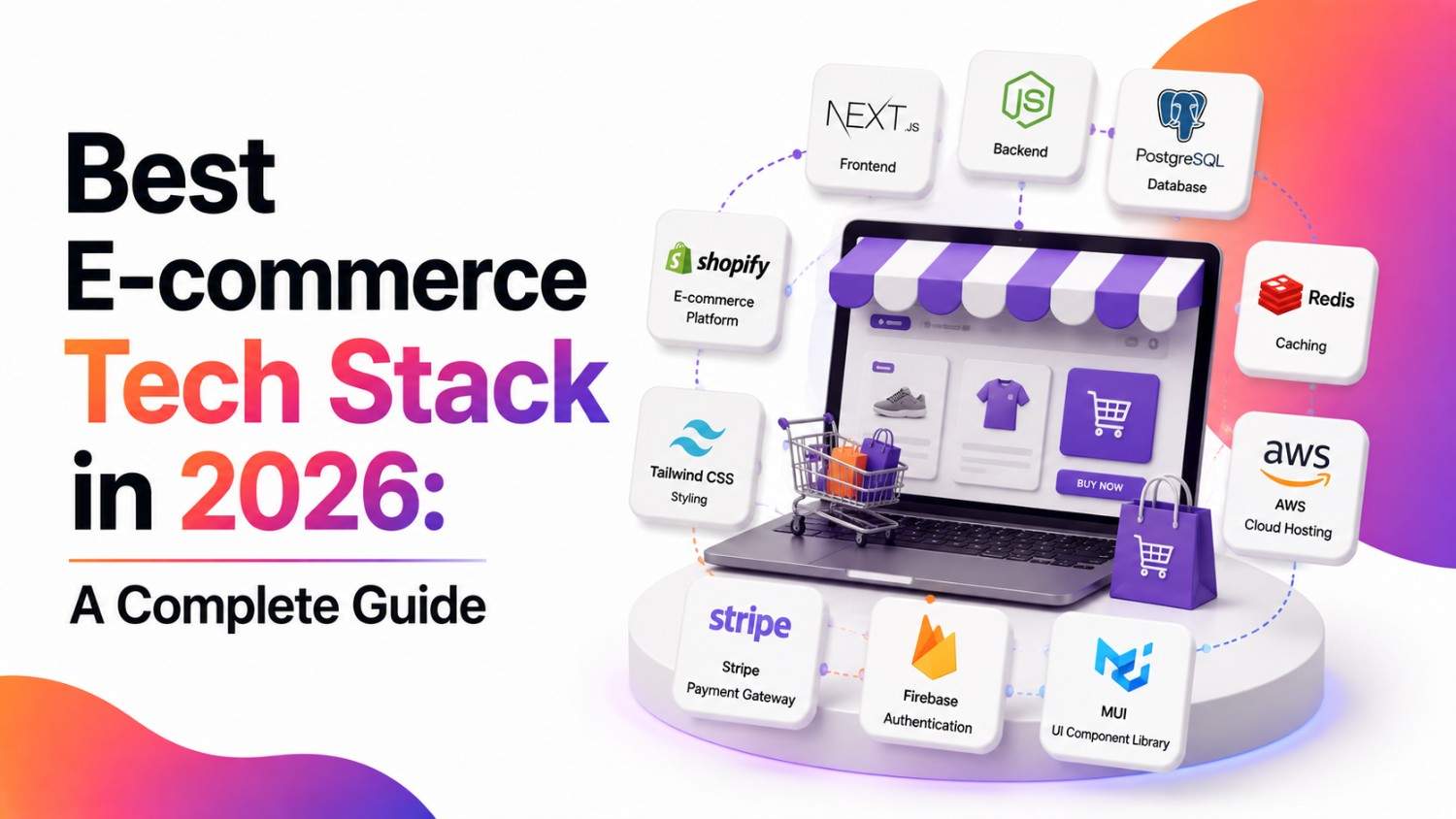
Quick Summary: There’s no single “best” ecommerce tech stack — the right one depends on your catalog size, team, and growth plans. For most small-to-mid businesses, a hosted platform like Shopify or BigCommerce is the fastest path to revenue. For larger or fast-scaling brands that need full control over the customer experience, a headless setup (a modern frontend like Next.js paired with a commerce backend via API) is now the standard — not just a “nice to have.” Below, we break down the three layers of a tech stack, how to choose between them, and real stack examples by business stage.
Building a successful online business starts with one decision that gets surprisingly little attention: choosing the right ecommerce development approach. It doesn’t matter how big your budget is or how good your product is — none of it converts well on a slow, rigid, or poorly integrated foundation. Your tech stack shapes your site’s speed, your team’s ability to ship changes, and ultimately how much revenue you leave on the table.
In this guide, we’ll cover what an ecommerce tech stack actually is, how to choose one, the mistakes that trip up most businesses, and real examples of stacks used by brands at different stages — from a first store to enterprise scale.
What Is an Ecommerce Tech Stack?
An ecommerce tech stack is the combined set of technologies — front-end, back-end, and third-party tools — that work together to run an online store. It covers everything from what a shopper sees and clicks on, to how orders get processed, to how you track inventory and send marketing emails.
There are three core layers:
1. Front-End Technologies
On a headless build, it’s typically a custom storefront built in Next.js or Astro, using React or Vue.js components. On a hosted platform, this is your theme (Shopify’s Dawn or a paid theme like Impact). On a headless build, it’s typically a custom storefront built in Next.js or Astro, using React or Vue.js components. A theme gets you live in days; a custom front-end takes weeks or months but gives you control over every pixel and every millisecond of load time.
2. Back-End Technologies
For businesses requiring highly specialized business logic, custom software development can provide greater control over the backend. On Shopify, WooCommerce, Magento, or BigCommerce, this is baked into the platform. In a headless setup, it’s a commerce API (Shopify Hydrogen/Storefront API, Adobe Commerce’s GraphQL API, or commercetools) that your front-end calls to fetch products and process orders — meaning the backend can change without touching the storefront customers see.
3. Third-Party Services
The tools that plug into your store instead of you building them from scratch:
- Payments: Stripe, PayPal, Shopify Payments
- Email/SMS marketing: Klaviyo, Mailchimp, Attentive
- Reviews & loyalty: Yotpo, Loox, Smile.io
- Inventory/ERP: Cin7, NetSuite, Skubana
- Search & personalization: Algolia, Bloomreach
- Analytics: Google Analytics 4, Triple Whale
A well-matched stack across all three layers is what actually moves conversion rate and site speed — a fast front-end with a slow, poorly integrated backend (or vice versa) still results in a store that underperforms.
Monolithic vs. Headless: The Decision That Shapes Everything Else
Before picking individual tools, there’s a wider architectural choice worth understanding, because it affects every decision after it.
Monolithic platforms (traditional Shopify, WooCommerce, out-of-the-box Magento) bundle the front end and back end together. You get a working store fast, with less engineering overhead, but less flexibility over the customer experience.
Headless (or composable/MACH — Microservices, API-first, Cloud-native, Headless) architecture separates the front end from the back end entirely. The two communicate via APIs, which means your design team can build a fully custom storefront (often in Next.js) while your commerce backend — Shopify Hydrogen, Adobe Commerce, BigCommerce, or commercetools — handles orders, inventory, and checkout independently.
Headless adoption has grown quickly because it removes the performance ceiling monolithic themes tend to hit, and it lets brands run the same backend across web, mobile app, and other channels without rebuilding commerce logic each time. It’s not the right call for every business, though — it adds real engineering overhead, so it tends to make sense once you’ve outgrown what a hosted theme can do, not before.
Rule of thumb: if you’re launching your first store or run a lean team, start monolithic. If you’re replatforming because your current site can’t hit performance targets, needs a custom UX no theme can deliver, or has to power multiple channels (web, app, kiosk) from one backend, headless earns its complexity.
How to Choose the Right Ecommerce Tech Stack
1. Scalability
Ask what happens to your site during a flash sale or a Black Friday traffic spike — that’s the real scalability test, not your day-to-day traffic. Shopify and BigCommerce handle traffic spikes automatically since they’re fully hosted. Self-hosted WooCommerce or Magento needs you (or your host) to actively provision for it, or the site slows down or crashes exactly when you need it most.
2. User Experience (UX)
Page speed isn’t a nice-to-have metric — every extra second of load time measurably drops conversion rate, and Google uses Core Web Vitals as a ranking factor for organic search. Aim for a Largest Contentful Paint under 2.5 seconds. Front-end frameworks like React, Vue.js, or a headless setup can hit that bar, but so can a well-optimized standard theme — the framework matters less than whether someone actually optimized images, scripts, and third-party app bloat.
3. Security
You’re handling payment data and personal information, so this isn’t optional. At minimum, confirm your platform provides SSL by default, is PCI-DSS compliant for payment handling, and offers two-factor authentication for admin accounts. Stripe and PayPal handle PCI compliance for you on the payment side — building your own checkout without one of these is a much bigger security burden to own.
4. Customization Needs
Shopify gives you speed and simplicity but has real limits — you can’t natively support tiered B2B pricing, complex multi-warehouse fulfillment logic, or heavily custom checkout flows without expensive workarounds. If your business model needs that level of control, Magento/Adobe Commerce, WooCommerce, or a headless build give you the room, at the cost of needing developer resources to maintain it.
5. Integration With Other Tools
Before committing to a platform, check its actual API documentation and app marketplace for the specific tools you already use — your ERP, your email platform, your 3PL. A platform with a thin API or a small app ecosystem can turn a simple integration into a custom development project six months in.
6. Cost
Open-source platforms (WooCommerce, Magento Open Source) are free to license but typically run $5,000–$50,000+ to build out properly, plus ongoing hosting and developer maintenance. Hosted platforms bundle hosting, security, and support into a subscription — Shopify starts around $39/month, BigCommerce around $39/month, scaling up to enterprise plans in the thousands. Factor in transaction fees, app subscriptions, and theme costs too — the “monthly price” on a pricing page is rarely the full cost.
Common Mistakes to Avoid
Not planning for growth. A stack that works fine at 500 orders a month can buckle at 5,000 — checkout timeouts, inventory sync delays, admin dashboards that lag under a larger catalog. You don’t need to over-engineer on day one, but know roughly what your platform’s ceiling is (SKU limits, traffic thresholds, storage caps) so a growth spurt doesn’t force an emergency migration mid-launch.
Overcomplicating the stack. It’s tempting to install every app that promises a conversion lift — upsell popups, chat widgets, review carousels, a dozen tracking pixels. Each one adds page weight and another point of failure. A common pattern: a store running 20+ Shopify apps where five are actually driving revenue and the rest are just slowing down checkout. Audit your app list quarterly and cut what isn’t earning its keep.
Ignoring user feedback. Slow load times and confusing navigation lose customers quietly — most people don’t complain; they just leave and don’t come back. Session recording tools (Hotjar, Microsoft Clarity) and cart abandonment data will surface friction points your team can’t see just by using the site themselves.
Underestimating mobile. In most ecommerce verticals, mobile traffic outweighs desktop, but mobile conversion rates still lag behind desktop industry-wide — usually a sign that the mobile experience (checkout length, form fields, tap targets) hasn’t gotten the same attention as desktop. If your stack wasn’t built mobile-first, test your actual checkout flow on a phone before assuming it’s fine.
Comparing the Major Ecommerce Platforms
| Shopify | WooCommerce | Adobe Commerce (Magento) | BigCommerce | |
| Best for | Small–mid businesses wanting speed to launch | WordPress sites adding a store | Large catalogs needing deep customization | Mid-market to enterprise, no transaction fees |
| Hosting | Fully hosted (SaaS) | Self-hosted (you manage it) | Self-hosted or Adobe-managed cloud | Fully hosted (SaaS) |
| Customization | Moderate, via apps/themes | High, but requires dev work | Very high, built for custom builds | Moderate–high, strong native features |
| Pricing model | Monthly subscription + transaction fees on non-Shopify Payments | Free core, pay for hosting/plugins | Free (Open Source) or high enterprise license (Adobe Commerce) | Monthly subscription, no added transaction fees |
| Headless-ready | Yes, via Shopify Hydrogen | Yes, via WooCommerce REST API | Yes, native GraphQL/REST APIs | Yes, native headless APIs |
| Notable users | Allbirds, Gymshark | Small–mid retailers, WordPress-native brands | Nike (select regional storefronts), Ford (parts & accessories), Coca-Cola | Skullcandy, Ben & Jerry’s |
Sample Tech Stacks by Business Stage
Rather than naming platforms in isolation, here’s what a realistic stack looks like at each stage of growth:
Early-stage / first store: Shopify (or WooCommerce if already on WordPress) + Shopify Payments or Stripe + Klaviyo for email + Google Analytics 4. Minimal setup time, low maintenance, fast to launch.
Growth stage (established catalog, scaling traffic): BigCommerce or Shopify Plus + a dedicated CDP or reviews/loyalty app + more advanced inventory/ERP integration (e.g., Cin7, NetSuite) + A/B testing tools. This is usually where businesses start hitting the limits of a fully out-of-the-box theme.
Enterprise / high-traffic, multi-channel: Headless build — Next.js front-end + Adobe Commerce, commercetools, or Shopify Hydrogen backend + a CDP (Bloomreach, Segment) for personalization + separate search (Algolia) and CMS layers. Built for teams that can maintain custom infrastructure and need the store to power web, app, and other channels from one backend.
Frequently Asked Questions
What is an ecommerce tech stack?
It’s the combination of front-end, back-end, and third-party tools that together power an online store — from what customers see, to how orders are processed, to how payments and marketing run behind the scenes.
What is the best ecommerce tech stack for online stores?
There isn’t one universal answer. For most small-to-mid businesses, a hosted platform like Shopify or BigCommerce is the best starting point. Larger businesses with complex needs or high traffic often move to Magento/Adobe Commerce or a headless architecture for more control.
What are the essential components of an effective ecommerce tech stack?
A reliable hosting/commerce platform, a fast front-end (whether a theme or custom-built), a secure payment gateway, and integrations for email marketing, analytics, and inventory management. Security and mobile performance should be non-negotiable in all of them.
Is headless commerce worth it for a small business?
Usually not at the start. Headless architecture adds engineering overhead that only pays off once you’ve outgrown what a hosted platform’s themes and apps can do — typically once you need a highly custom UX, multi-channel commerce, or you’re hitting real performance ceilings.
How much does an ecommerce tech stack cost?
It ranges from roughly $30–$300/month for a hosted platform like Shopify or BigCommerce (plus app/plugin costs), to five- or six-figure annual costs for enterprise platforms like Adobe Commerce or a custom headless build with dedicated engineering. Open-source options like WooCommerce or Magento Open Source are free to license but require development and hosting spend instead.
How to Actually Decide
Skip the “best platform” question — it doesn’t have one answer. Instead, work through these four questions in order:
What’s your catalog and order volume today, and in 12 months?
Under a few hundred SKUs and just getting started → Shopify or WooCommerce. Thousands of SKUs, multiple warehouses, or B2B pricing complexity → Magento/Adobe Commerce or BigCommerce Enterprise.
Does your team include developers who can maintain custom code?
No in-house dev team → stick to a hosted platform with strong apps and support (Shopify, BigCommerce). In-house or agency dev support → open-source or headless becomes viable.
Is your current site hitting a real performance or customization wall?
If yes — slow Core Web Vitals scores, checkout flows a theme can’t support, multi-channel requirements — that’s your trigger to evaluate headless. If you haven’t hit that wall yet, don’t build for it preemptively.
What’s your actual budget, all-in?
Not just the platform’s monthly fee — include apps, theme/development costs, and ongoing maintenance. A $39/month Shopify plan with $2,000/month in apps and dev retainer isn’t necessarily cheaper than a mid-tier BigCommerce plan with fewer add-ons.
Most businesses get this wrong in one of two directions: locking into a rigid platform too early and hitting walls at scale, or over-building a custom headless stack before they have the traffic or team to justify it. Match the stack to where the business is today, and revisit the decision when — not if — the business outgrows it.